GDPRcompliantProjects, numbers, customers and AI work are too often disconnected.struct-i-vio connects projects, finance, CRM and AI in one shared working state.

Typical friction in daily project work

These four problems cost speed every single day.

They happen when project status, figures, documents and responsibility are spread across multiple places.

Today's status lives in Excel, folders and people's heads

Follow-up questions, lists and screenshots eat up time before anyone can say what's actually open in the project.

Check project status

Budget problems only surface once the meeting has started

Hours, invoices, change orders and forecasts often only come together once decisions are already due.

See the budget flow

Approvals depend on inboxes and individual knowledge

Who is allowed to see, review or decide gets clarified from scratch every day.

Check approvals

Special processes end up in the next tool

Every extra process creates new lists, new logins and new gaps in the project.

Check extensibility

CRM with AI support

Leads, conversations, and next steps stay connected.

struct-i-vio brings inquiries, leads, contacts, and communication into one integrated CRM. AI can pre-qualify leads, enrich them with web research, and prepare fields for review — your team checks the suggestions and decides before handing the opportunity into the project flow without a media break.

  1. Capture the inquiry

    New inquiries and contact details land directly in the CRM with the context needed for the next decision.

  2. Pre-qualify with AI

    AI summarizes information, researches relevant signals, and suggests which fields could be completed.

  3. Decide as a team

    Owners review the suggestions, add context, and make the next-step decision with a clear record.

  4. Hand over to the project

    A qualified lead becomes a clear follow-up process, connected to the project, tasks, and communication.

Explore AI-assisted lead work
struct-i-vio CRM pipeline with leads and next steps
AI support in the CRM while pre-qualifying a lead

Individual extensions

When your process has special requirements, struct-i-vio adapts.

Customer-specific forms, calculators and tools can be embedded in the same working state—with roles, data and a direct link to the project.

Within the existing access
On the same data basis
With the same roles and approvals
Directly in the project
Documented for rollout and review
Mobile and multi-tenant
Example of a customer solution

A configurator built for a specific workflow.

The Solar Carport Configurator illustrates how a customer-specific tool can connect directly to projects, CRM and the team. Not a standard feature—but an extension when needed.

Example of a customer-specific Solar Carport Configurator

Working state on the move

Project work stays connected on mobile.

Dashboard, projects and tasks use the same state—in the office, on site and in meetings.

struct-i-vio mobile dashboard
Dashboard
struct-i-vio mobile project overview
Projects
struct-i-vio mobile task view
Tasks

AI as a process module

An additional digital employee working alongside you in struct-i-vio.

The app AI is an important module woven through the process: it understands cross-functional requests, works with current data and carries out approved changes through the same protected processes as your team.

Delegate complex tasks. Receive verifiable results.
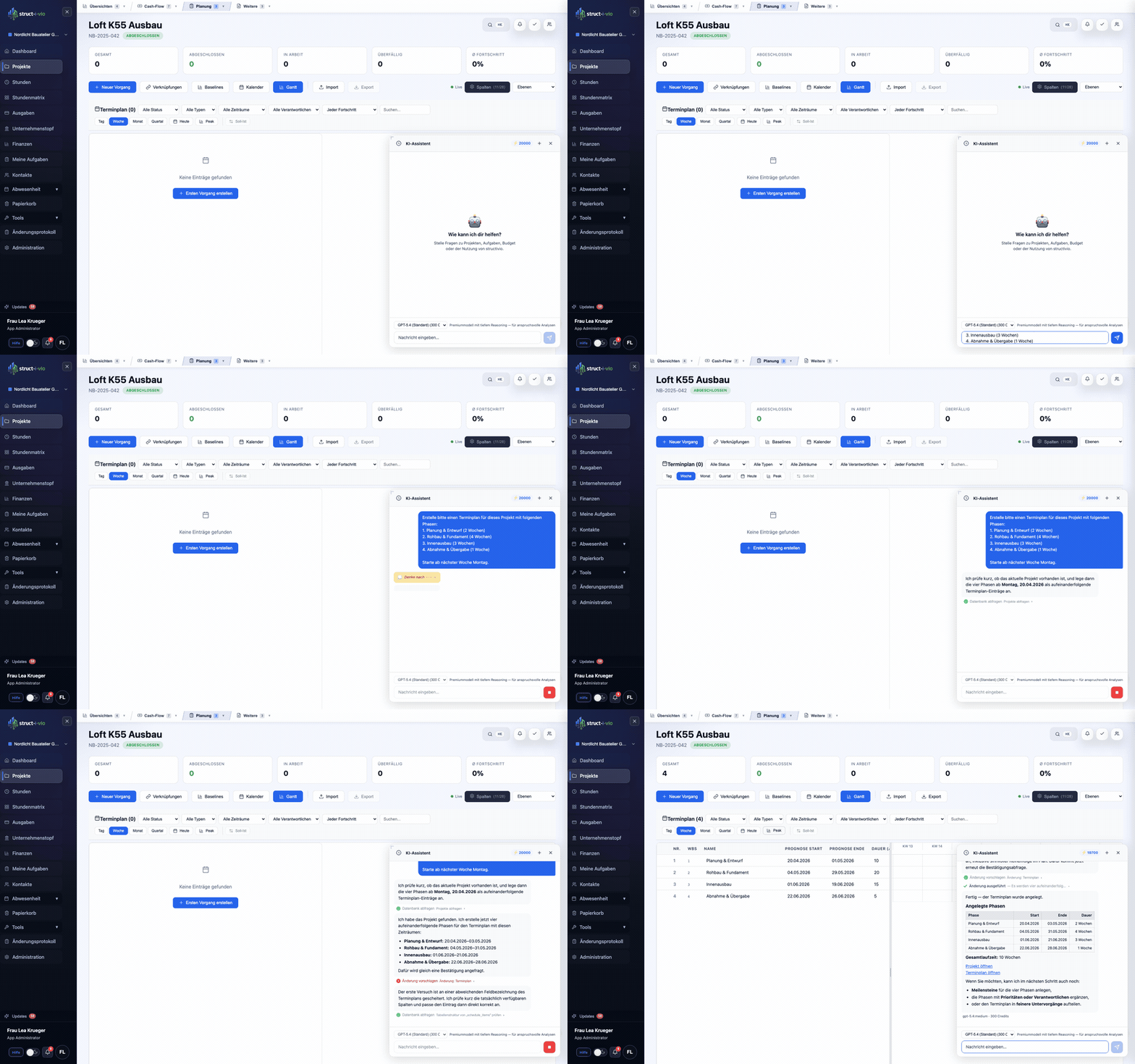
AI task with subagents

Delegate complex tasks. Receive verifiable results.

The AI breaks complex workflow tasks into analysis and research work, coordinates specialized subagents and combines their results. Where a reviewed AI tool is available, it can perform the same work steps as an authorized user directly in CRM, projects, tasks, documents and finance — with your roles, approvals and security rules.

Tasks stay linked to the source document.
Tasks

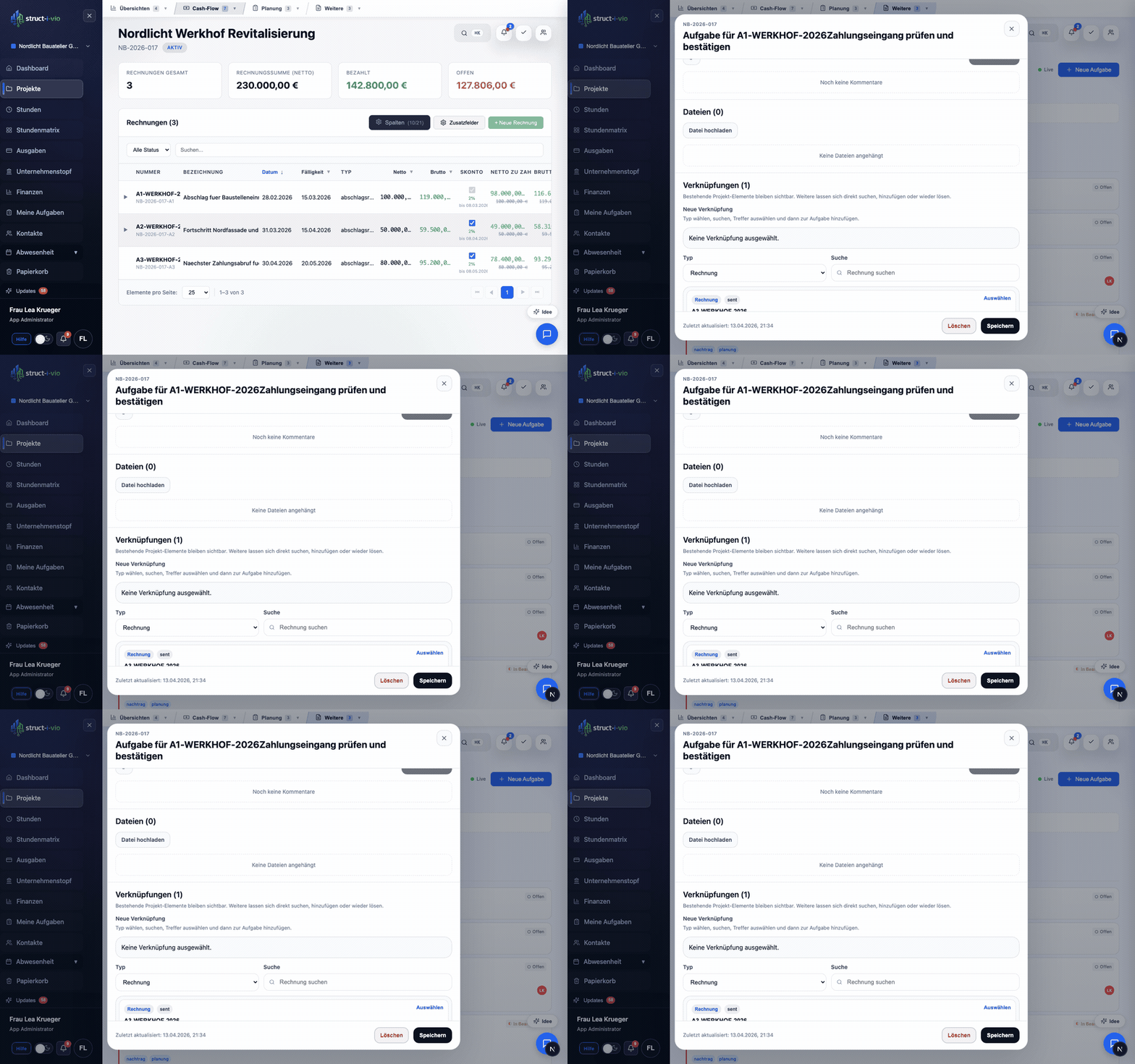
Tasks stay linked to the source document.

Create a task from an invoice, expense or time entry with a direct link to its source. The context stays traceable.

Bill-of-quantities ownership stays visible.
Bill of quantities

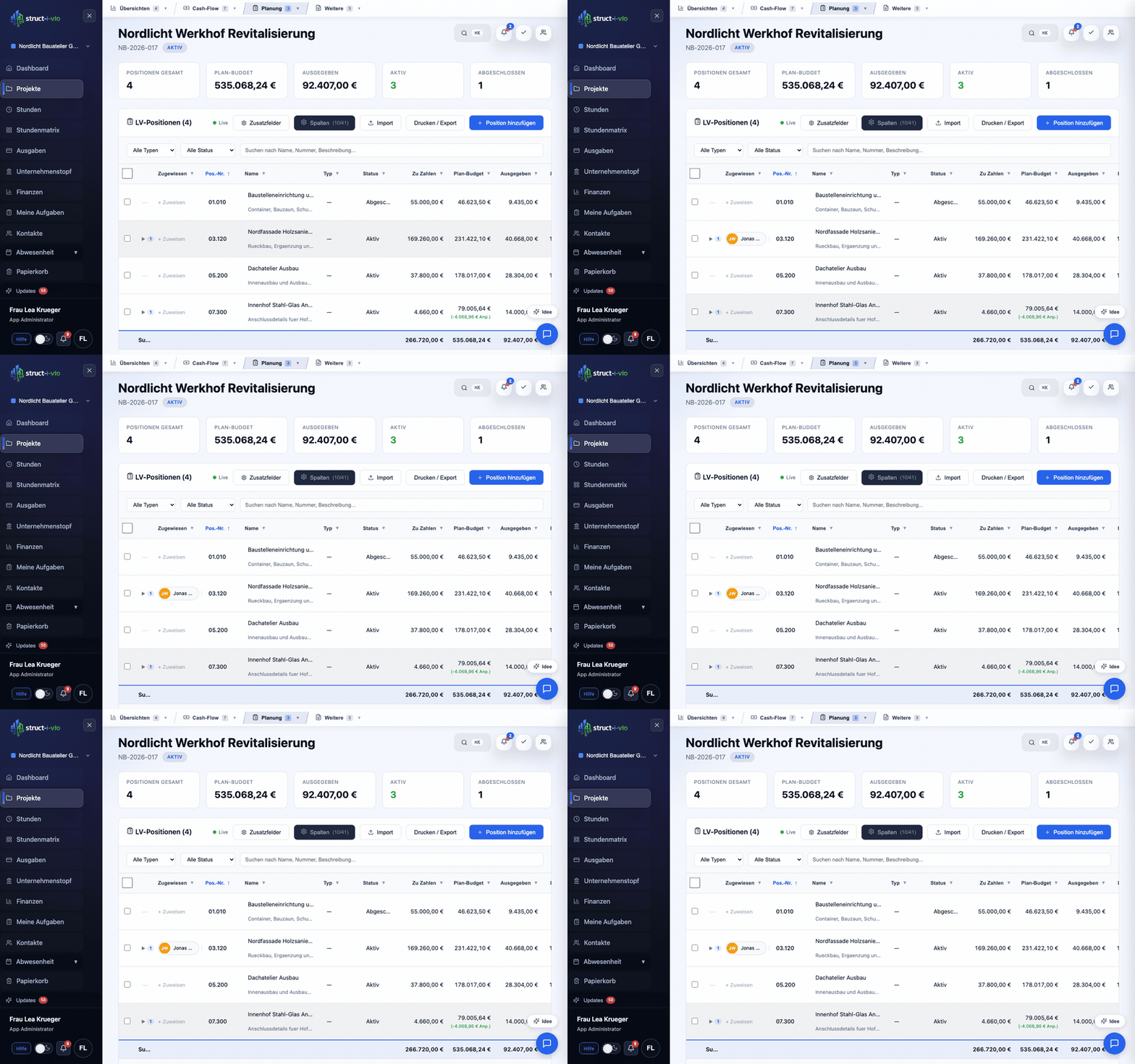
Bill-of-quantities ownership stays visible.

Assign each position to a project-team member. Responsibilities remain clear directly in the table.

Specialised tools connect to the same process.
Customer-specific extension

Specialised tools connect to the same process.

The Solar Carport Configurator is an example: individual requirements can connect with projects, CRM, roles and teamwork.

Surfaces from everyday work

This is what a shared working state looks like.

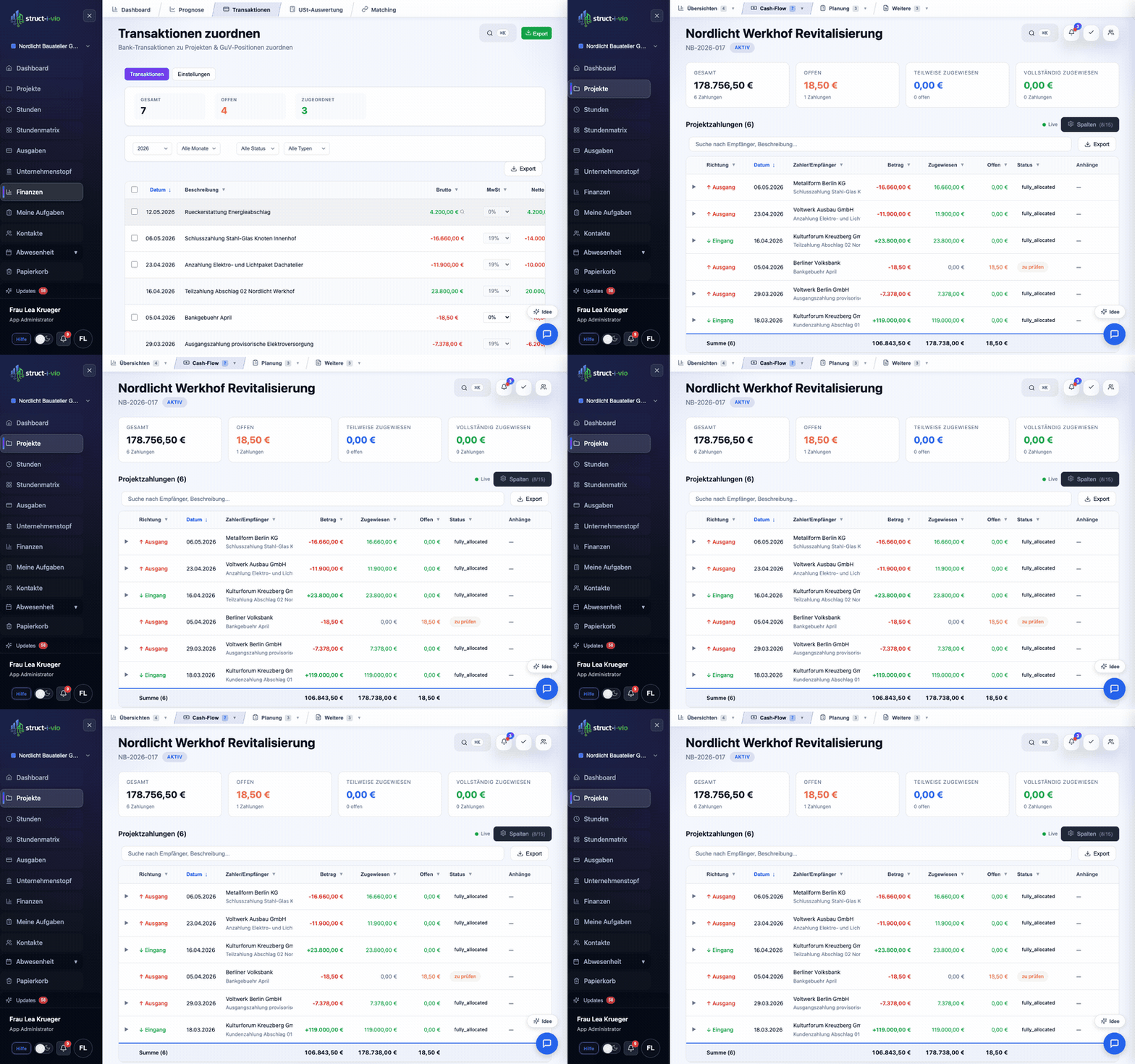
Dashboard, project lists, budget, documents, tasks, permissions and reports all draw on the same status.

Check before the rollout

Clarify bottlenecks, responsibility and process coverage.

The public documentation shows where struct-i-vio removes friction from daily work, and how roles, approvals and the rollout are prepared.

Project status

Public documentation

For teams who want to check whether status, documents, tasks and figures come together in one shared status.

Open documentation
Rollout

Quickstart

For project management, team leads and back office who want to prepare onboarding, roles and the first day-to-day work properly.

Read quickstart
Approvals

Roles and permissions

For companies that need to clarify, before rollout, who sees, reviews and decides.

Check permissions
Process coverage

Module catalog

For teams who want to check whether budget, documents, tasks, time tracking and reports cover their real bottlenecks.

View modules

Four review paths for rollout and daily work

How teams evaluate struct-i-vio before a decision

Start a test access
Review path 01Project status

Check how quickly a shared project status emerges

This path shows how status, documents, tasks and figures come together from scattered sources into one visible working state.

Open documentation
Review path 02Rollout

See how project management, team leads and back office get started

The quickstart shows roles, initial setup and the path into daily work, before extra rounds slow down the rollout.

Read quickstart
Review path 03Responsibility

Clarify who sees, reviews and decides

The permissions documentation shows how responsibilities, visibility and approvals are cleanly regulated.

Check roles
Review path 04Process coverage

Check which bottlenecks are directly covered today

The module catalog shows existing process areas and makes visible where struct-i-vio can be extended without building another tool.

View modules

Next step

Check the bottleneck. Then decide.

Start with quickstart, roles and modules. After that it's clear what rollout, responsibility and process coverage look like in struct-i-vio.